Utilities
|
To see your drawings run on the scr, you can manually add the entries to the file USER_BMP.INI, but, if
you have much drawings the job becomes very long and tedious. Therefore, the
idea is to have a set of tools that do this duty in place of the user.
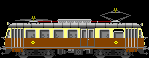
At this moment the file USER_BMP.INI can contain just locomotives (engines)! You cannot add a your new passenger or freight train. You can add your engines and link them to the set of passenger and freight trains already enclosed to the program. You can also add locomotives without links and they will run alone. How to include complete trains and consists? Waiting the new release of the program, the idea is a trick: to draw long trains and add them to the USER_BMP.INI as engines! Here you can download three simple TOTALLY FREE utilities (MMcvRD, MMcvML and MMcvCC) to facilitate the composition of the consists and add the reference to the USER_BMP.INI.
I suggest a naming convention for the file names of the drawings. This way facilitates the setting of some attributes by the utility MMcvML: where
When you select this drawing to add it to the source library,
the following attributes are automatically set: Download the three utilities:
You can maintain your original filenames, but if you want align your drawing to this naming convention you can use the utility MMcvRD or 'Rename Drawings'. It modifies also the extension (dib or bmp) in bmp.
The following step is organize the drawings in libraries (SOURCE LIBRARIES) using the utility MMcvML. It copies your drawings in ordered folders and helps to set their attributes. These attributes will become the attributes of the USER_BMP.INI. To understand the meaning and the use of the attributes you can see a complete description in the pages of Stefan FritzschThe main feature of this utility is the variations handling. For each drawing you can refer a subset of little variations depending on its shape: the tail lights, the open and closed little gates and the folding doors (diaphragms) between the cars, the buffers with or without the pipes, the load of freight cars... You consider a drawing as base with its filename; each variation concerns a side of base drawing (N, S, E and W). You can draw until 10 variations for each side. The filename of the variations has a suffix in accordance to the side:
A SUGGESTION: if you draw a minimal part of the draw as variation, some variations can be used for several vehicles.
MMcvCC or 'Compose Consists': this utility opens a source library and allows you to select the drawings and put their parameters in the USER_BMP.INI. The main feature of the program is the composition of long trains saving them as engines for the scr program. Once selected a vehicle, before to add it to the consist, you can modify its shape through the variations. In the following example you can see the same models included in the consist applying different variations:
You can inherit the animation and SAR attributes from the 'main vehicle' of the consist. Your consists are added to the original library. At this point, if you want to modify the attributes of your drawings, you can use directly the 'settings' of scr program. JULY 13, 2001: VERSION 2.1.0
5. DOUBLE OR MULTIPLE ANIMATED TRACTION: introduced an automatic phase displacement in the animated parts:
COUNTRIES.TXT is in both the zip files and goes in both folders with *.exe files AUGUST 25, 2002: VERSION 3.0.0
AUGUST 25, 2003: VERSION 3.1.0
|